
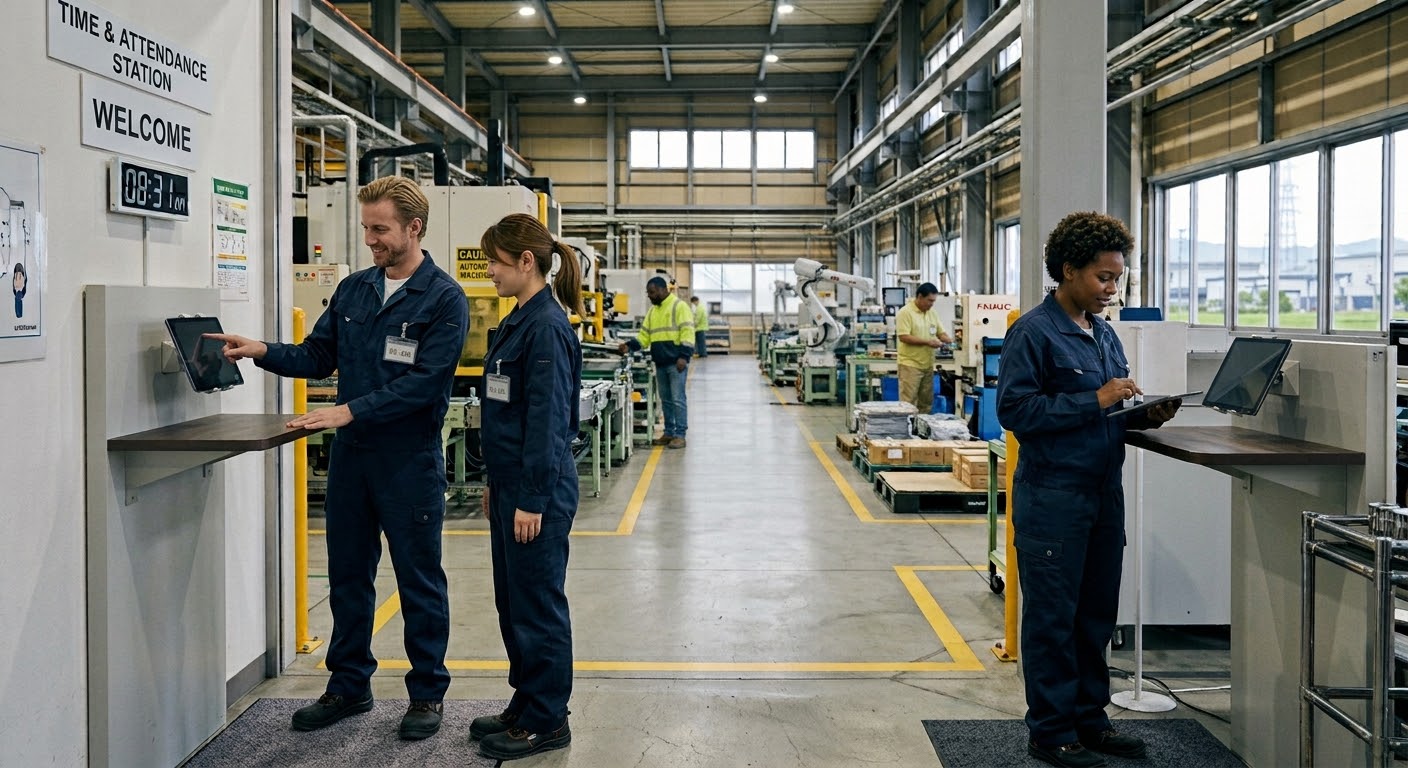
A factory time clock has to survive conditions most workplaces never see: two or three crews rotating through the same building around the clock, dozens of people clocking in and out inside the same few minutes, and a headcount that swells every time production ramps up. If you run a 2-shift or 3-shift operation and you're still chasing missing punches on paper timesheets at month-end, this article walks through why that breaks down and how a single wall-mounted tablet keeps attendance accurate through every changeover.
Struggling With Attendance Tracking on the Factory Floor?
Most factories don't have a single start and stop time. A day crew and a night crew trade places on a 2-shift rotation, or morning, afternoon, and night crews cycle through on a 3-shift schedule. Whatever the pattern, the handoff is always the pinch point. The outgoing crew wants to get out the door, the incoming crew needs to be at their stations, and both are trying to record their time on the same one or two machines in the same narrow window. A line of thirty or forty people forms at the clock while supervisors are busy running the shift briefing, and recording time slips down the priority list.
On top of the rotation, the roster itself moves. People get pulled onto different lines to cover absences, temporary workers join for a busy season, and the mix of who's on the floor changes from one day to the next. Keeping an accurate record of who worked which hours means having a way to clock in that doesn't pull anyone off the line or add a step to the changeover.
Why Paper Timesheets Break Down on the Factory Floor
Missed and duplicate clock-ins during shift handoffs
Shift changeover attendance is where paper timesheets fail most often. A worker coming off a night shift is tired and focused on handing off to the incoming crew, not on walking over to a crowded time clock. "I'll fill it in after the handoff" turns into a blank line or a guessed time. Meanwhile someone who isn't sure whether they already punched punches again to be safe, and now there's a duplicate entry to untangle. A missed clock-in on a factory floor isn't a rare exception — it's a predictable side effect of forty people trying to record their time in the same five minutes. Every gap becomes a month-end phone call to reconstruct what actually happened days earlier.
Month-end totals become unmanageable with large headcounts
With paper, closing the period means picking up each card, adding the hours by hand, applying night-shift and overtime premiums, and keying the totals into payroll. That work scales directly with headcount. At thirty people it's a long afternoon; at two or three hundred it's days of careful checking, and every transcription error flows straight into someone's paycheck. The larger the workforce, the more time the office spends verifying numbers instead of using them.
How a Tablet Time Clock Solves Shift-Based Attendance
Administrators register everyone in bulk — no individual logins
With Time Clock App, an administrator enters the staff roster directly in the app. Workers don't install anything, don't create passwords, and don't sign in to personal accounts. You can add a whole crew or a whole line at once, and a new hire can clock in the same day their name is entered. When someone leaves, one step in the admin panel removes them — there's no dormant account to clean up later. For a floor that includes full-time operators, line transfers, and seasonal temporary workers, this removes the setup work that per-person login apps create every time the roster shifts.
Unlimited staff, one flat monthly fee, even as headcount grows
Time Clock App is a flat $4.99 per month, and the price is the same whether you're tracking 20 people or 300. Bring on a group of temporary workers for peak season and the bill doesn't move; scale back down afterward and it still doesn't move. Per-employee pricing punishes exactly the flexibility a factory needs, because every added worker changes the invoice and makes the budget harder to predict. A flat fee keeps the cost fixed no matter how the crews grow or shrink. There's also no limit on the number of tablets, so you can place a device at each entrance or by each line without paying more.
Reminders catch missed clock-ins during shift changeovers
If a set amount of time passes with no punch, the app sends a reminder, so a missed clock-in gets caught during the same shift instead of surfacing weeks later. That single feature addresses the most common missed-clock-in factory problem directly, at the moment it happens. Alongside it, every punch exports to CSV or Excel so it drops straight into your payroll software with no manual re-entry, and records are held on the device with OS-level backup through iCloud or Google, so a dropped or replaced tablet doesn't cost you the month's attendance data.
Getting Started in 3 Steps
- Install the app — Put Time Clock App on an iPad or Android tablet you already have on site. There's no dedicated hardware to buy.
- The admin registers staff — From the admin screen, enter the roster. Add crews or lines in bulk, and add or deactivate people later as hiring changes.
- Mount the tablet and start clocking in — Fix the tablet at the entrance or by each line. From that day on, workers tap their name and choose clock in or clock out. The only instruction anyone needs is "find your name and pick in or out."
Summary
The more your shifts overlap, the better a single-tablet setup fits. A 2-shift or 3-shift factory has records scattered across crews and changeover times that a paper system was never built to handle — and a shared tablet pulls all of it onto one system without changing how the floor already works. An administrator registers everyone in bulk, so no worker needs a login. The flat $4.99 per month covers unlimited staff, so a busy season doesn't raise the cost. Reminders keep missed punches from piling up, and CSV/Excel export makes month-end a data transfer instead of a reconstruction. Time Clock App offers a 30-day free trial with unlimited staff and no device limit — set it up on a tablet you already have and see how it holds through your next shift changeover.
Related Articles