
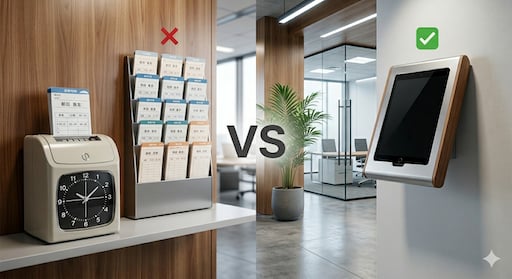
When you decide to consolidate attendance tracking onto a tablet, the first question that comes up is: iPad or Android? The choice affects price, durability, app reliability, and how smoothly your workplace runs day-to-day. This article compares both platforms from a practical standpoint, assuming a shared, fixed-location tablet setup.
Why Workplaces Choose a Fixed Shared Tablet for Time Tracking
Smartphone-based clocking (GPS punches, individual device installs) works well for remote or field workers. But for on-site workplaces — restaurants, care facilities, factories, retail stores — a fixed shared tablet is a better fit for these reasons:
- Everyone clocks in on the same device — no individual installs or configuration required
- No tech skills needed — older staff and part-timers can use it without issue
- A direct replacement for the paper timecard rack — no change to check-in habits
- Admin-only setup — no need to call an IT vendor
Once you've decided on the fixed-tablet model, the next step is choosing the device.
iPad (iOS): Strengths and Weaknesses for the Workplace
Advantages
① High app quality and stability App Store review standards are strict, so iOS apps tend to be well-polished. Failed punches and unexpected crashes are rare, which builds trust on the floor.
② Long-term OS support Apple supports iPad OS updates for many years. Devices from 5–6 years ago often still run the latest apps, reducing how often you need to replace hardware.
③ Reliable iCloud backup Attendance data can be automatically backed up to iCloud, reducing the risk of data loss if a device breaks or goes missing.
④ High touch accuracy and screen quality Fewer mis-taps during clock-in means less frustration on the floor.
Disadvantages
① Higher upfront cost Even entry-level iPads typically start around $350–$400. The cost adds up when deploying multiple units.
② Less flexibility for customization Kiosk mode (locking the device to a single app) is possible, but iOS offers less flexibility than Android in how you configure it.
iPad works best for:
- Customer-facing settings where a clean, professional look matters (restaurants, clinics, tutoring centers)
- Small deployments (1–2 devices) intended for long-term use
- Workplaces where minimizing data loss risk is a priority
Android Tablets: Strengths and Weaknesses for the Workplace
Advantages
① Lower upfront cost Business-capable Android tablets are available starting around $150–$200. Total cost is significantly lower than iPad when deploying multiple devices.
② Wide selection of hardware options You can choose waterproof, dustproof, or ruggedized models built for factory floors, outdoor environments, and other demanding settings.
③ Easier kiosk mode setup Android MDM tools and manufacturer-provided kiosk utilities make it straightforward to lock a device down as a dedicated punch terminal.
Disadvantages
① App behavior can vary by device Because Android is more heavily customized by each manufacturer, the same app can behave differently across models. Testing before deployment is recommended.
② OS support period varies by model Budget models may stop receiving OS updates after 2–3 years.
③ Backup setup is slightly more complex Google Backup is available, but it's generally less streamlined to manage than iCloud.
Android works best for:
- Harsh environments: factories, warehouses, outdoor worksites
- Larger deployments (3+ devices) where keeping costs down matters
- Organizations already using Google Workspace or Android MDM
iPad vs Android: Side-by-Side Comparison
| Category | iPad (iOS) | Android Tablet |
|---|---|---|
| Device price | $350–$600+ | $150–$350 |
| App stability | ◎ High | △ Varies by model |
| OS support period | ◎ 5–7 years | △ 2–4 years (model dependent) |
| Backup | ◎ iCloud (reliable) | ○ Google Backup |
| Rugged model options | △ Limited | ◎ Wide selection |
| Kiosk mode flexibility | ○ Possible | ◎ More flexible |
| Multi-device cost | △ Expensive | ◎ Cost-efficient |
| Professional appearance | ◎ High | ○ Varies by model |
What to Check Before Picking a Device: App Requirements First
Before comparing devices, verify one thing first: does the app support both iOS and Android?
Choosing an app that only works on one OS limits your hardware options. Also confirm the following app-side features:
- Unlimited staff usage (per-employee pricing gets expensive fast)
- Admin-only setup (apps requiring individual employee logins are harder to manage)
- CSV / Excel export (for easy payroll processing)
- Missed punch reminders (to reduce incomplete records)
- OS backup support (to protect your data)
Realistic Cost Estimate
Here's an example for a 10-person restaurant deploying one shared tablet:
| Item | iPad | Android |
|---|---|---|
| Device (1 unit) | ~$400 | ~$200 |
| Case & stand | ~$30–50 | ~$20–40 |
| App (unlimited staff/month) | $4.99/mo | $4.99/mo |
| First-year total | ~$490–$510 | ~$280–$300 |
From year two onward, you pay only the monthly app fee — so both options are low-cost over the long run.
Conclusion: iPad for Reliability, Android for Cost
- Reliability, stability, and long-term use → iPad
- Lower upfront cost, multiple units, rugged environments → Android tablet
- Choose an app that works on both — that's the key to keeping your hardware options open
Time Clock App works on both iOS and Android. Flat monthly rate, unlimited staff, no device limits. The admin registers members, and the team is ready to punch in. Try it free for 30 days on any tablet you already have.
Related Articles